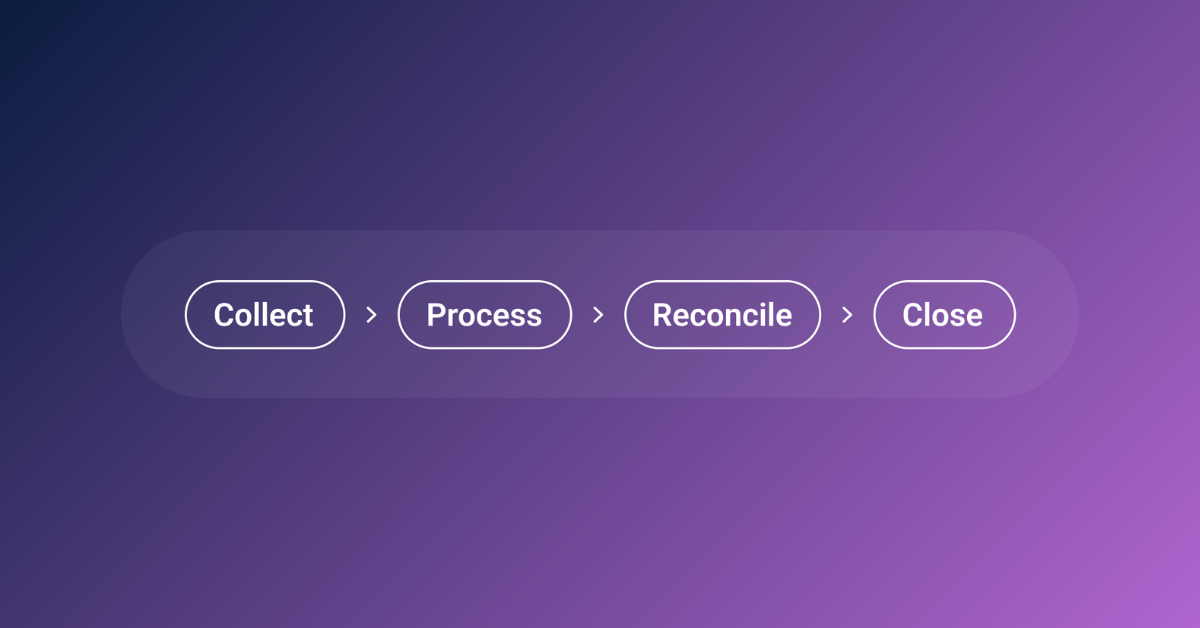
When we introduced Autonomous Bookkeeping, we talked about a shift in how bookkeeping gets done. Rex™, our AI engine, runs the work continuously in the background. Collect, process, reconcile, close. That cycle repeats every day, for every client, without anyone having to push it forward.
But the follow-up question from every practice we speak to is the same: what do I actually see?
The answer is the Autonomous Bookkeeping Platform. It's where your practice logs in, and where the output of all that autonomous work becomes visible, reviewable, and actionable.
The platform is built around two views: Practice View for accounting practices, and Business View for SME clients. Both sit inside the same system, connected to the same data, updated by the same engine.
This post is about the practice side. What's inside, how it works, and what it means for how your firm operates day to day.
What Practice View actually is
Practice View is the interface your firm uses to oversee every client's bookkeeping. When you log in, you're looking at the live status of your entire portfolio. Which clients are fully reconciled. Which are still in progress. What's ready for review.
The important thing to understand is that you're not logging in to do the bookkeeping. Rex, our AI Bookkeeping engine, has already done it. Your team is logging in to confirm the work is done, review what needs attention, and move on to advisory, compliance, or whatever else is on the agenda.
One of our early practice partners put it simply: they don't need to manage the bookkeeping. They just need to see where it stands. That's exactly what Practice View is built for.
There are no per-seat charges. Every member of your team can access it, which matters when you're trying to scale without scaling your costs.
Bank reconciliation visibility
If there's one area where practices consistently told us they needed more clarity, it's bank reconciliation. Before Practice View, getting a confident answer to "is this client's bank fully reconciled?" usually meant logging into another system, opening a spreadsheet, or asking someone on the team.
In Practice View, every bank account shows:
- Current bank balance vs. ledger balance. See immediately whether the numbers align.
- Allocation status. How much of the bank activity has been processed and matched.
- Reconciliation state. A clear status for each account, powered by an algorithm that evaluates health based on historical patterns.
- Connection status and last sync. Know whether data is live, disconnected, or manually updated, and when it was last refreshed.
If balances have been consistent over the past few months, the account shows a healthy state. If there’s a persistent difference, the system flags it and surfaces the likely cause, whether that’s a missing opening balance, a timing issue, or something else that needs attention.
For any unallocated bank lines, you can now see the active Rex conversations attached to them. That means you know what's being chased and what's waiting on a client response, without having to check separately with the Outmin team.
For a practice managing dozens of clients with multiple bank accounts each, this removes a significant amount of weekly overhead. The time your team used to spend figuring out where things stand is time they can now spend on work that actually earns fees.
Supplier reconciliation, inside the product
Supplier reconciliation has historically been one of the most painful parts of the bookkeeping process. Spreadsheets emailed back and forth. Manual tracking of statement dates and balances. Endless back-and-forth communication to figure out what's been paid, what's outstanding, and where the gaps are.
We've moved all of that into the platform.
In Practice View, every supplier shows:
- Reconciliation status. Whether the supplier is fully reconciled, in progress, or needs attention.
- Last reconciled date. When the most recent reconciliation was completed.
- Latest statement. Whether a new statement has arrived and its processing status.
- Open issues. How many discrepancies have been flagged, and who owns each one.
Click into any supplier and you see the full detail: all open reconciliation issues, the latest statement, and the complete history.
The reconciliation work itself is handled by Rex and our operations team in the background. Your practice sees the output. If there’s a discrepancy between a supplier statement and the ledger, it’s flagged as an issue with a clear owner, whether that’s the client, Outmin, or someone on the practice side.
You can also see how Outmin acquires documents for each supplier:
- Supplier Portal. Outmin retrieves documents by logging into supplier portals directly.
- Supplier Email. Invoices or statements are received via a dedicated Outmin inbox.
- Client Upload. Documents uploaded by the client through the app or by email.
This matters when something is missing. Instead of guessing who should have sent what, you can see exactly where the gap sits and who is responsible for closing it.
For practices, this means faster close cycles, fewer surprises at month-end, and less time assembling spreadsheets. That time goes back to your team for higher-margin work.
Sales Reconciliation
Sales reconciliation follows the same approach as suppliers. Your practice can see customer balances, outstanding amounts, and reconciliation status in the same format as suppliers. This is especially relevant for clients with POS or eCommerce activity, where sales data flows through merchant platforms and needs to be matched against bank activity.
VAT review and preparation
VAT is one of those areas where the practice can't simply delegate and walk away. It's a legal obligation, and the onus is on the practice to review and file accurately. That makes visibility into VAT workings especially important.
In Practice View, you can see the filing status of every VAT return across your client base. For each period, the VAT receivable breakdown shows:
- Every line item going into the return
- Supplier name and document type
- VAT rate and how it's been treated
- Status of each item
If something looks wrong, you flag it directly in the product, add a note, and it gets tracked to resolution. This flagging system was built based on early testing with one of our practice partners.
The ability to work through the return line by line, flag anything that needs a second look, and track it in one place turned out to be one of the most valued parts of the workflow.
We’re actively working on bringing the full VAT preparation and filing workflow into the platform.
That includes VAT payable alongside receivable, a filing summary with the official return fields, manual adjustments where needed, and the ability to mark a return as filed and attach the receipt.
The goal is for the entire process, from review to submission, to happen inside Practice View.
All Documents: the full audit trail
One of our early users described it well: everything is the bookkeeping. If the documents aren't right, the books aren’t right.
All Documents gives your practice a complete, searchable view of every document that has flowed through the system for any client. For each document, you see:
- Upload date and source (email, upload, Rex, or sales invoicing)
- Who uploaded it
- Document type, number, and classification
- Processing status
- If excluded, a note explaining why
Click any transaction in the ledger and you can trace it back to the original document instantly.
This is the feature that tends to surprise people. It's not flashy, but it's the one that gives practices genuine confidence in the books. When you can verify any number by clicking through to its source document in seconds, the trust in the overall output goes up considerably.
And when it comes to compliance work or responding to client queries, that traceability saves a meaningful amount of time.
General Ledger and Trial Balance
The General Ledger in Practice View is continuously updated as Rex processes transactions. It's filterable, exportable, and interactive. You can search and sort by any field, drill into specific nominals, and export the data for analysis.
We've recently added the ability to drill down from the Trial Balance directly into the underlying Nominal Ledger. Click any line on the TB and you're immediately looking at the journal entries behind that balance. This was one of the most common requests from practices who found it inefficient to navigate between screens to investigate a number.
Both the GL and TB are part of what we call ActiveLedger™, our continuously updated reporting layer. These aren't reports generated at month-end. They reflect the current state of the books at any point, because Rex is posting and reconciling throughout the day.
Alongside the General Ledger and Trial Balance, Outmin produces the full set of standard bookkeeping reports: Profit & Loss, Balance Sheet, Aged Debtors, and Aged Creditors. These are already available to business clients through Business View, and we're bringing them into Practice View shortly so your team can access everything from one place.
What this means for your practice
Every feature in Practice View is designed around the same principle: the practice should see the outcome of the bookkeeping, not be responsible for producing it.
That changes the economics of how a firm operates:
- Time. Practices using Outmin have seen up to a 90% reduction in time spent on bookkeeping.
- Capacity. Some have increased their client base by 50% on the same team.
- Revenue mix. Others have moved entire teams out of bookkeeping and into advisory, compliance, and management accounting, which carry better margins.
There's also the less obvious benefit of consistency. When bookkeeping runs autonomously and your team reviews from a single platform, output quality becomes more predictable. You're not dependent on individual team members catching things or remembering to run processes. The work happens the same way, every day, for every client.
And because Practice View sits inside the same platform as Business View (the client-facing side), there's no disconnect between what the practice sees and what the client sees. Everyone is looking at the same data. That makes client conversations simpler and more productive.
What's coming next
We're continuing to build. The VAT filing workflow is moving towards full in-platform preparation and submission. Supplier reconciliation is getting more automated with every release. We're bringing P&L and Balance Sheet reporting into Practice View. And the communication layer between practices, clients, and Rex is expanding to reduce the back-and-forth that still exists today.
Every update is shaped by feedback from our practice partners. The features in Practice View today came directly from those conversations, and the roadmap ahead is no different.
If you'd like to see it for yourself, book a demo and we'll walk you through the platform.